Share your documentation
Finished documentation is most useful in front of other people — a new colleague, a reviewer, a customer. dev-doc lets you share a project with a single public link that opens without an account.
Open the share dialog
On any tab of a project, click Share it. While a project has finished documentation a green banner offers it; once you dismiss the banner, a Share button stays in the tab row, so the option never disappears.
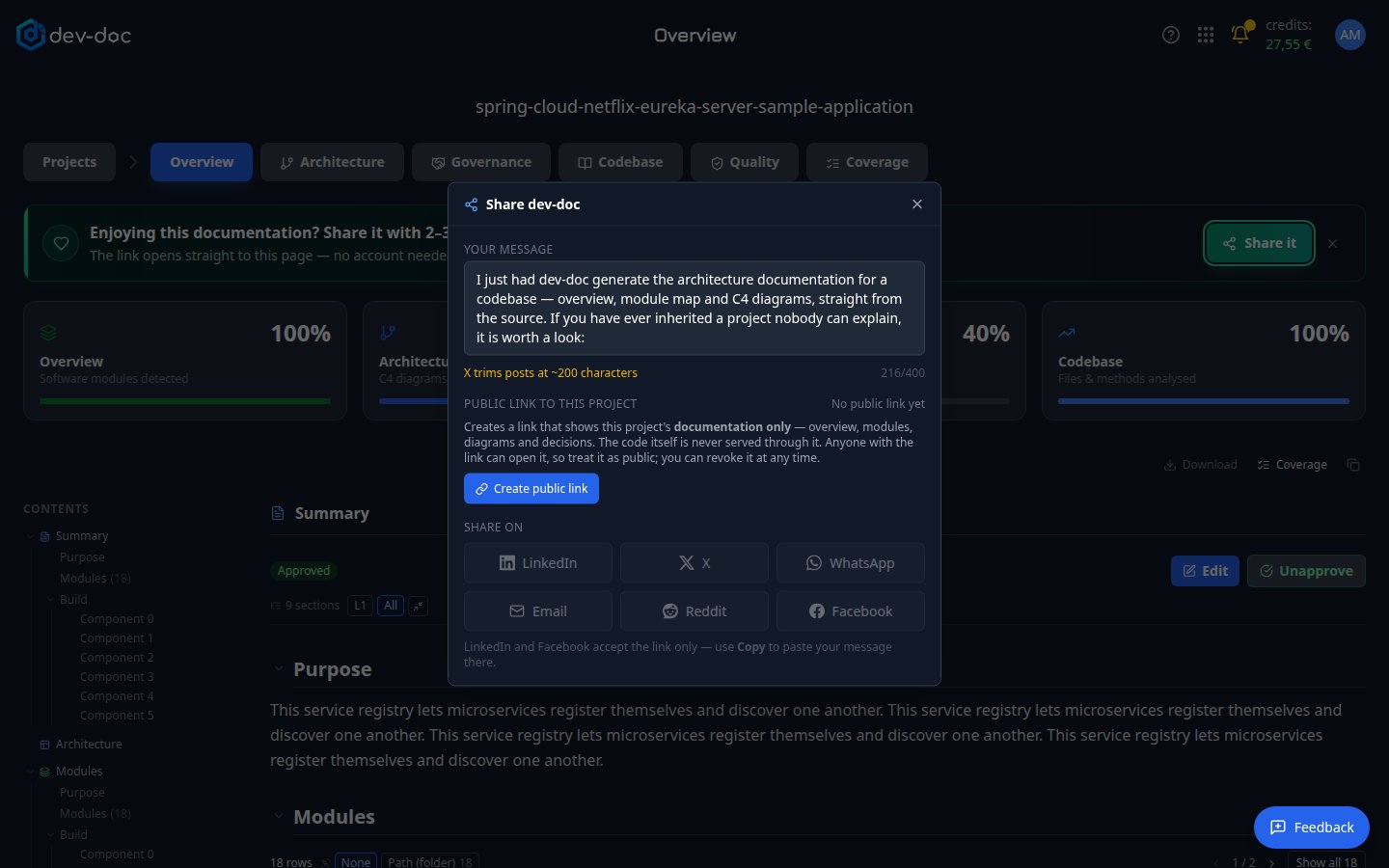
- Your message — an editable text that goes with the link. Your wording is remembered. Some networks limit the length; the counter helps.
- Public link to this project — create the link here. Once it exists you can copy it, renew it, or revoke it.
- Share on — post directly to LinkedIn, X, WhatsApp, Reddit, Facebook or send it by email. LinkedIn and Facebook accept the link only — use Copy to paste your message there.
- Close — closes the dialog. Nothing is shared until you choose a channel or copy the link.
What the recipient sees
- The project's documentation only — Overview, Architecture and Governance, read-only.
- Never your source code. The Codebase tab is not available through a share link.
- No editing, no re-analysis, no account needed.
See Opening a shared link for the recipient's view.
Renew or revoke a link
Open the share dialog again. A link can carry an expiry date; Renew extends it. Revoke switches the link off immediately — anyone who opens it afterwards gets "not found". If you create a link again later, the same address comes back to life.
Sharing a demo project
Demo projects are already public. On a demo page, the share dialog simply shares the page you are looking at.