Demo Projects
Demo projects are real, fully analysed projects published as read-only examples. Explore them to see exactly what dev-doc produces — no import, no credits and no account needed.
What this page is forSee finished documentation before importing your own project.
Open it fromDemo Projects on the home page, in the app menu, or the link at the top of My Projects.
Typical next stepImport your own project.
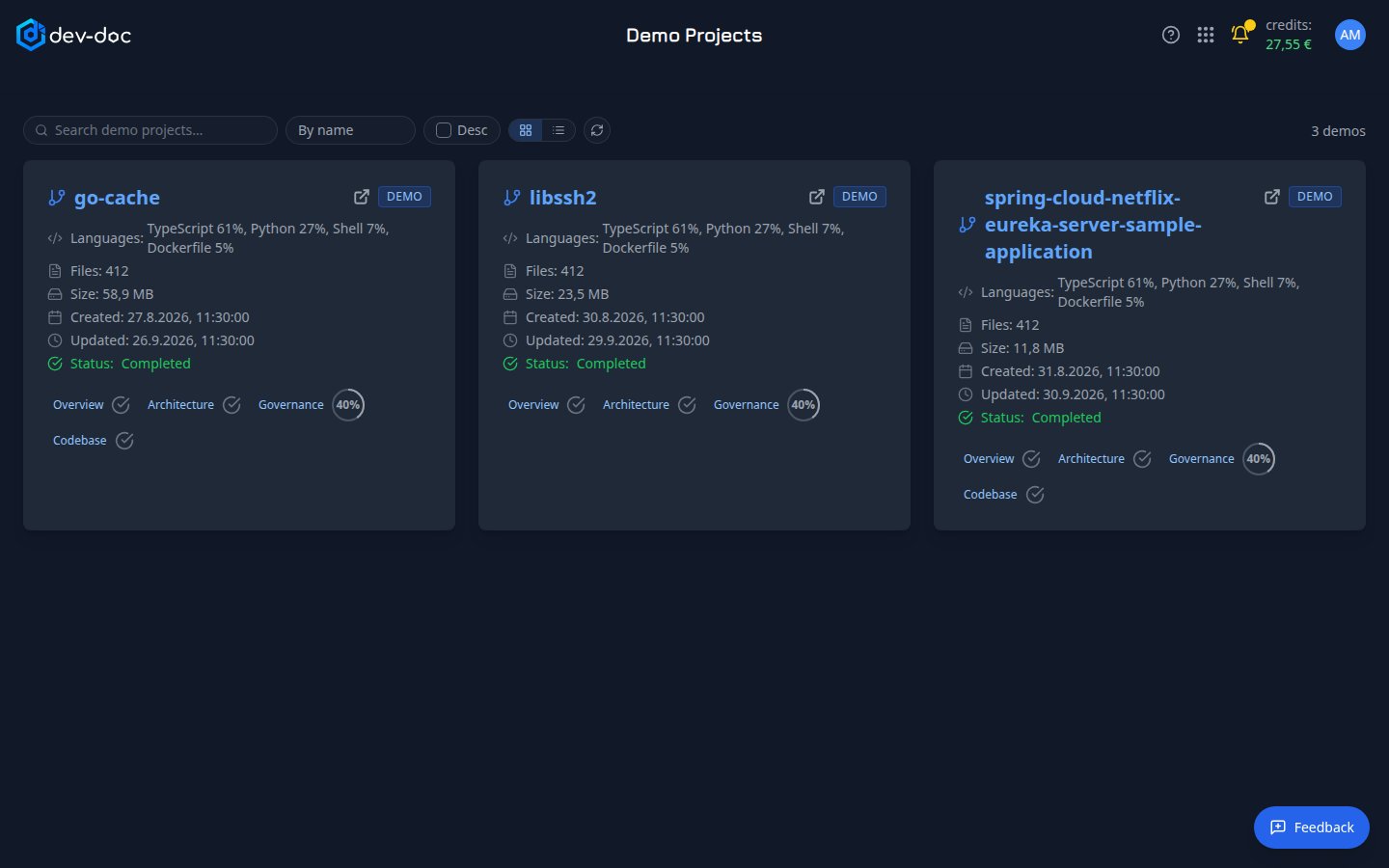
- Project name — opens the demo. The arrow at the top right, next to the badge, opens it in a new tab. The cards look like the ones on My Projects and in a workgroup.
- Demo badge — marks a read-only showcase project: nobody can edit, re-analyse or delete it — not even its owner.
- Details — the main languages, number of files, size, when it was created and last updated, and its status.
- Overview, Architecture, Governance, Codebase — open that part of the demo directly; the ring next to each shows how complete it is (a tick means complete).
- Card or table view — show the demos as cards (the default) or as a compact table; click a column heading to sort. Your choice is remembered.
Inside a demo
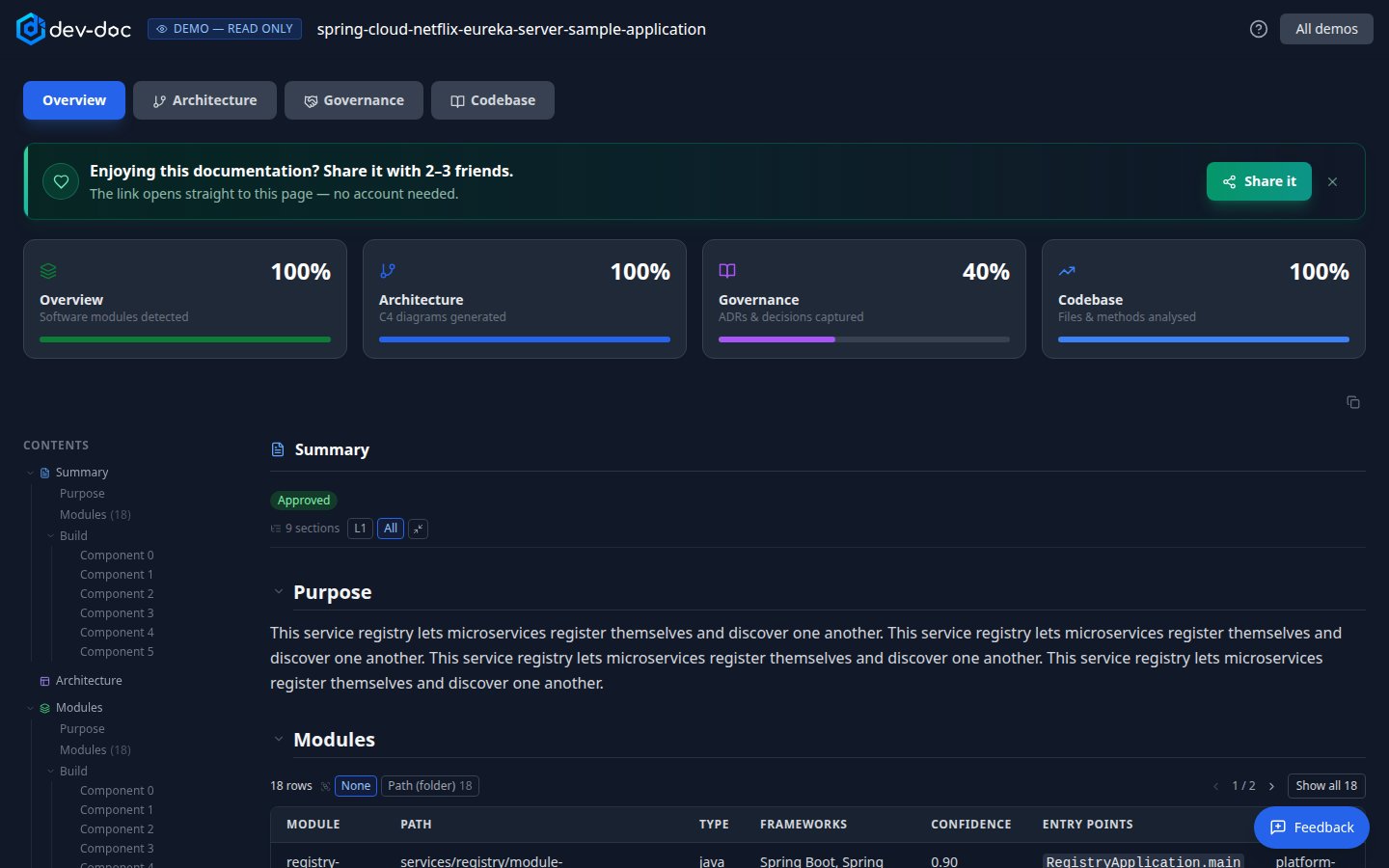
- Read only — you are viewing a showcase: nothing can be edited or re-run.
- Tabs — Overview, Architecture, Governance and — for demos that include it — Codebase. They work exactly like in your own projects.
- Help — opens this page.
- All demos — back to the gallery.
- Share it — share the demo page you are looking at.