Project · Quality
The Quality tab collects evidence that the software does what it is required to do: which requirements are implemented where, how they are verified, and how complete that evidence is. It is available where enabled for your account.
What this page is forBuild traceability and verification evidence for reviews and audits.
Open it fromThe Quality tab of a project.
Typical next stepUpload your requirements, then read the traceability matrix.
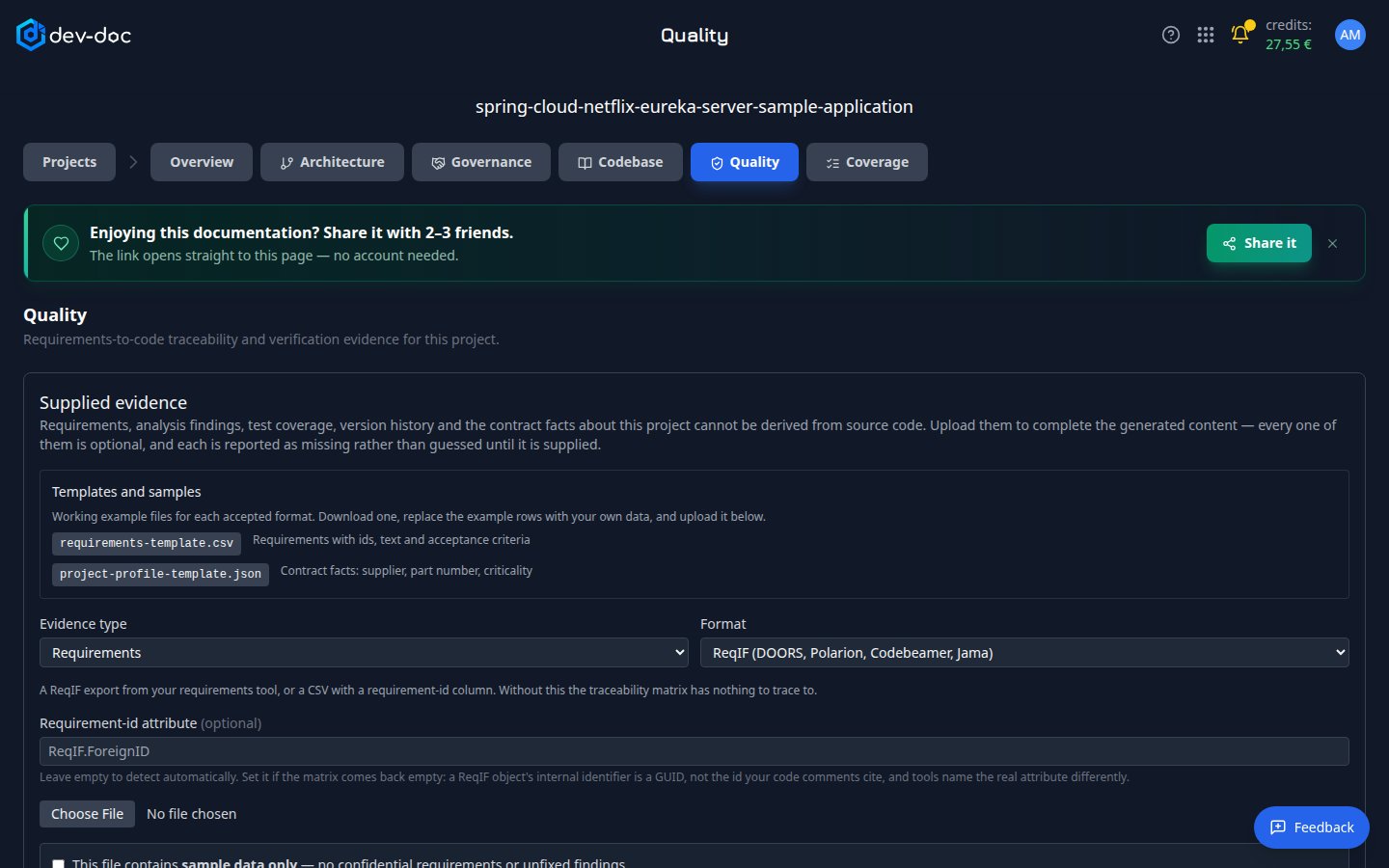
- Templates and samples — download an example file for each accepted format, replace the sample rows with your own data, and upload it.
- Evidence type — what you are uploading: requirements, analysis findings, test coverage or results, version history, or the project profile with contract facts.
- Format — the file format for the chosen type — for example an export from your requirements tool, or a CSV.
- Choose File — pick the file to upload. Tick the sample-data box if the file holds sample data only.
Why upload evidence?
Some facts cannot be read from source code — your requirements, test results, or contract details such as part numbers and criticality. dev-doc never guesses them: until you supply them, they are reported as missing. Every upload is optional.
What the tab shows
- Traceability — which requirements are referenced in which parts of the code.
- Verification — which requirements are covered by tests and results.
- Evidence coverage — a summary of what is present and what is still missing, shown last.
The evidence can be exported as a Markdown or Word document for your review process.