Project · Governance
Governance captures the why behind the software: why it exists, how to explain its architecture, which important decisions were taken, and how it is versioned. dev-doc prepares first drafts from your code; your team completes them.
Inception canvas
A one-page summary of why the system exists — the place to align everyone on goals before going into detail.
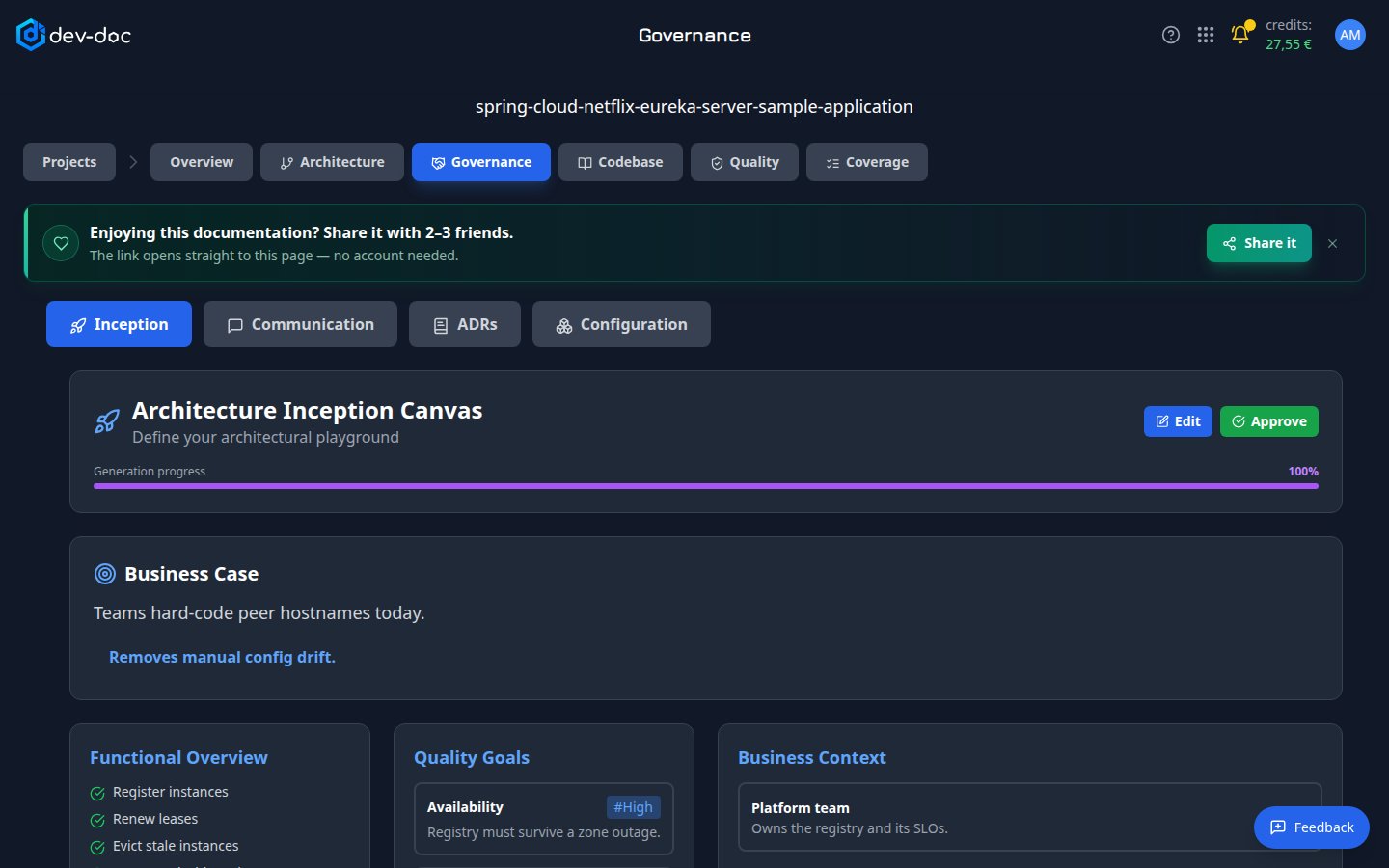
- Governance views — switch between Inception, Communication, ADRs and Configuration.
- Edit / Approve — edit the canvas in place, then approve it when it is right.
- Generation progress — how far the canvas has been prepared.
- Canvas content — starting with the business case — the problem the system solves and the benefit it brings.
- Canvas blocks — functional overview, quality goals with their priority, business context and stakeholders — continuing further down with constraints and risks.
Communication canvas
The architecture "pitch": what the system must do, how it does it, and what could go wrong — useful for reviews and onboarding.
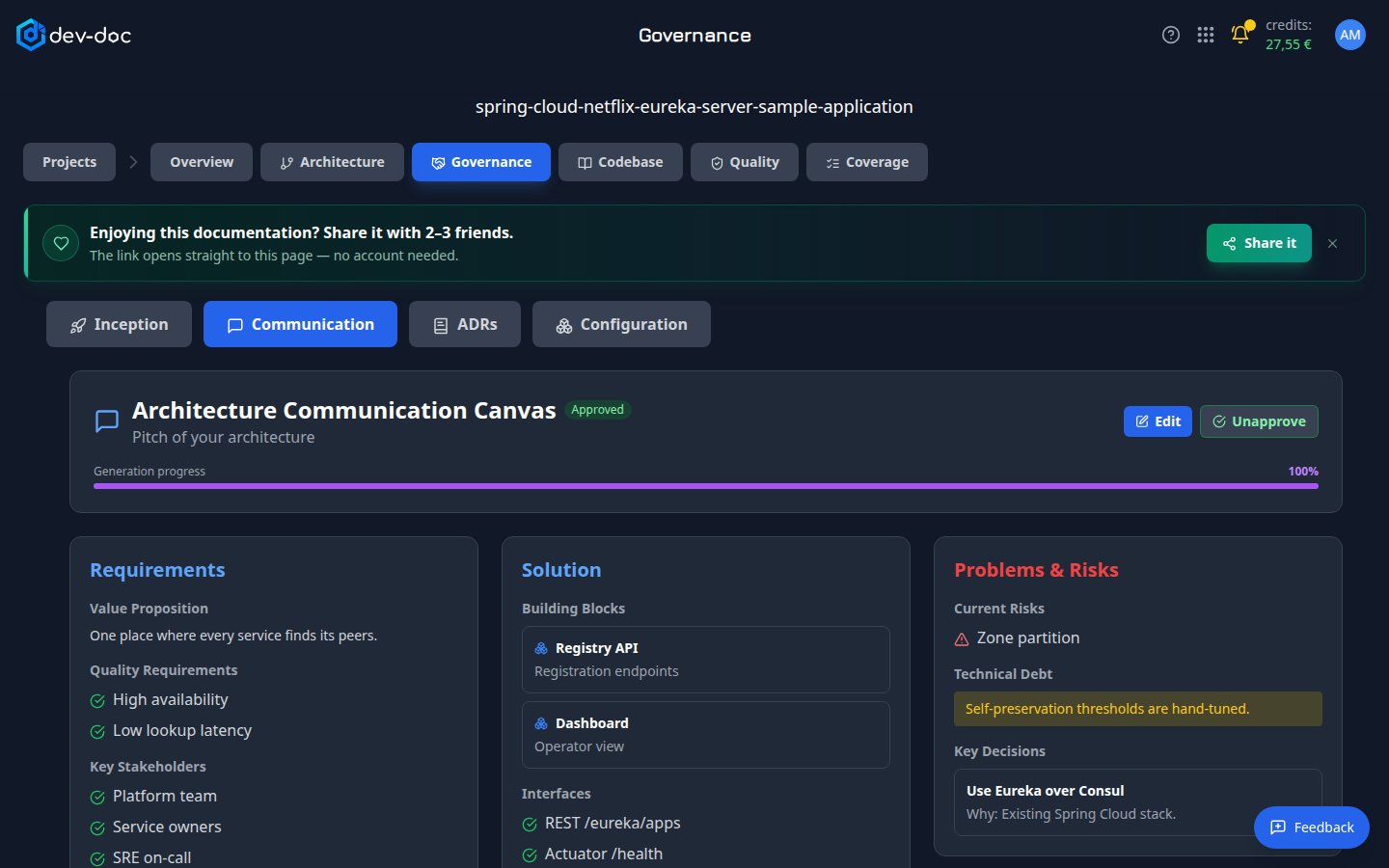
- Approved — this canvas has been reviewed by a person.
- Requirements — value proposition, quality requirements and key stakeholders.
- Solution — building blocks and the interfaces the system offers.
- Problems & risks — current risks, technical debt and the key decisions taken, with their reasons.
Architecture decision records (ADRs)
An ADR records one important decision: the context, the options, what was decided and its consequences. Over time they explain why the system looks the way it does.
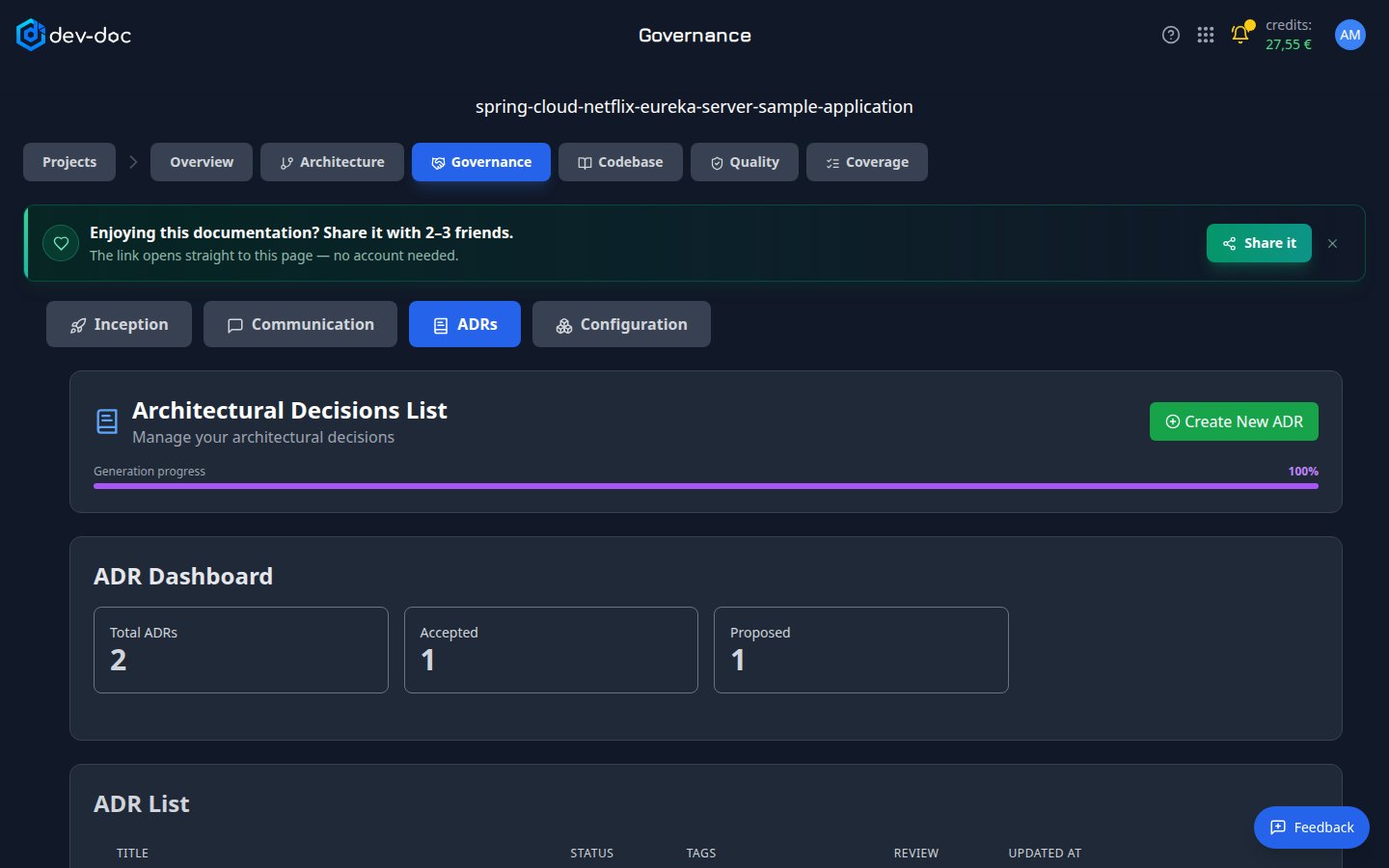
- Create New ADR — open the ADR editor with an empty record.
- ADR dashboard — how many records exist and how many are accepted or still proposed.
- ADR list — all records with status, tags, review state and last update. Click Open to read or edit one. If you may only view the project (for example as a workgroup member without the Edit right, or on a demo), the record opens as a read-only document, and there is no Create, Save, Approve, Delete or Duplicate.
Writing an ADR
- CreateClick Create New ADR.
- Fill in the sectionsTitle, context, decision, consequences and any options considered. Add tags to group related decisions.
- Set the statusFor example Proposed while under discussion, Accepted once agreed.
- SaveThe record appears in the list and counts toward the Governance progress.
Configuration
Configuration records describe how the software is versioned and released, built from the repository history where one is available. When none could be produced, the view says so.