Project · Coverage
The Coverage tab answers two questions the documentation cannot answer about itself: what did it leave out, and why? and what should good developer documentation contain? It compares your project's documentation with a checklist of what good developer documentation covers, and lists what is worth adding next.
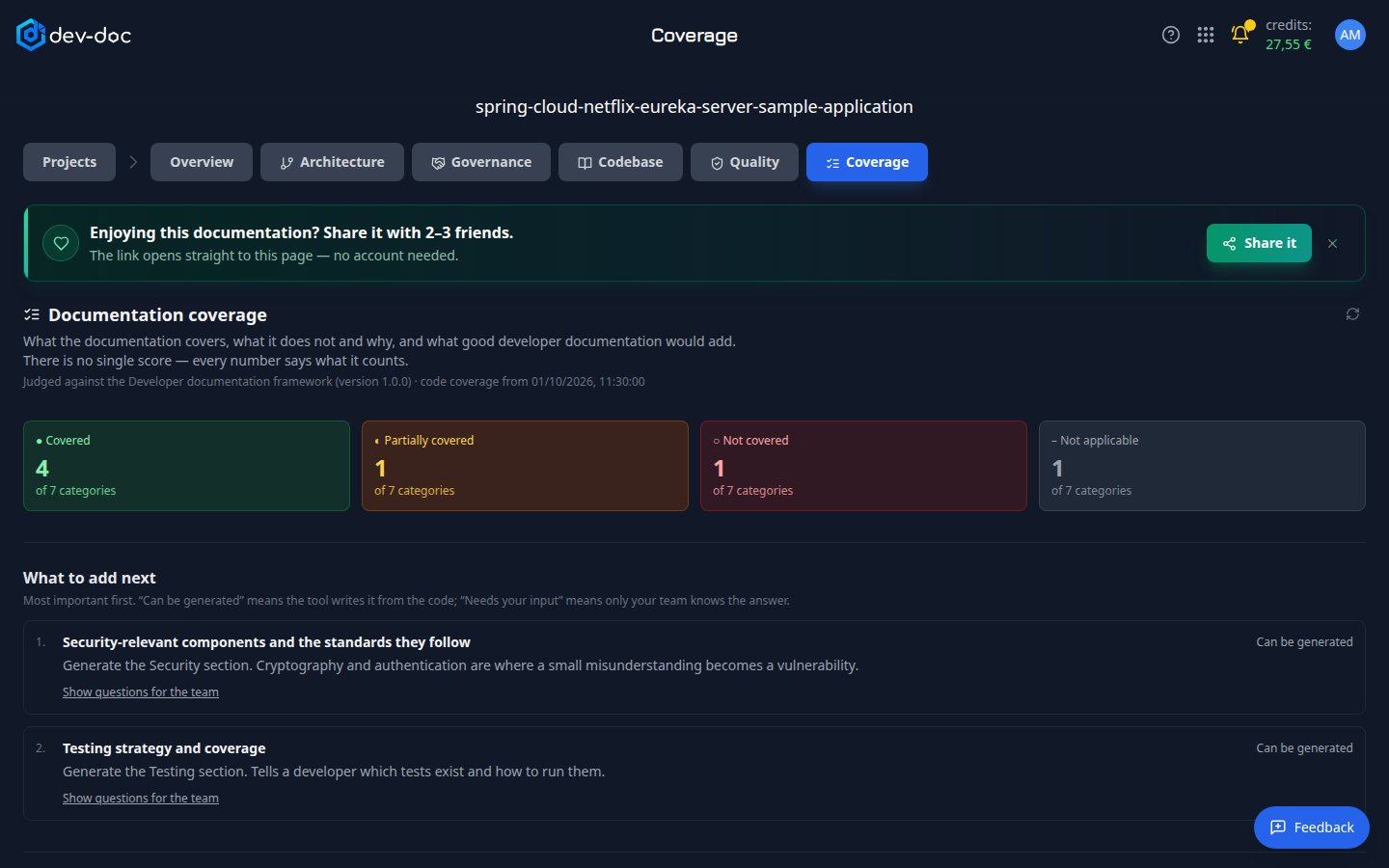
- Summary — how many checklist categories are covered, partly covered, not covered, or do not apply to this project.
- What to add next — the recommended additions, most important first, each with the reason it matters.
- Can be generated / Needs your input — whether the tool can write the addition from your code. Where it can, and you may start runs on this project, a Generate button writes the missing section; it appears in the Overview when ready, and this report updates.
- Questions for the team — what the code cannot tell, such as who the trust boundaries are drawn around or what must pass before a release. Answer them in your decision records or canvases.
No single score — on purpose
A single percentage would hide what it counts. Every number on this tab says what it measures — for example 141 of 147 files documented, with the 67 files that are not expected to be documented (images, tests, generated code) listed separately.
The checklist
Below the recommended additions, every checklist category has a card: its status, why it matters, what was found, and buttons that open the part of the documentation that covers it.
The checklist covers what good developer documentation contains: the purpose of the system, its architecture and data flow, the decisions behind it, module responsibilities, public interfaces, the data model, security, error handling and known limitations, configuration, external dependencies, how to build and test it, how it is deployed, its testing strategy, and a glossary of the project's own terms.
- Covered — everything the category needs is there.
- Partially covered — something is there, often a mention in another section, but the dedicated part is missing. This is judged from section headings, so check the linked section.
- Not covered — nothing yet. When only your team can supply it, the tab says Needs your input instead and shows the questions to answer.
- Not applicable — the project has nothing the category is about, for example no database, so no data model is expected.
Each category is marked Derived from the code, Needs the team or Code + team input, so you can see at a glance what the tool can write and what it cannot.
Generating a missing section
For categories the tool can write from your code — Building, Deployment, Data Model, Configuration, Security, Error Handling, Testing and Glossary — click Generate. Each section is written only from what the repository contains: a security section names only the standards your code refers to, a configuration section lists every setting the code reads, and nothing is invented to fill a gap. When the repository holds nothing on the topic, no section is written.
Generating uses credits like any other run. Once a section exists, it is refreshed by every new analysis, and you can regenerate it from the Overview.
Code coverage
At the bottom, the tab shows which files, modules, public functions and entry points the documentation covers, and for every file that is not covered, why: excluded from analysis, not source code, a language the analysis cannot read in detail, test or example code, or a summary that could not be written. Click a reason to see the files.
Projects analysed before this tab existed show some reasons as not recorded — run the analysis again to see them.
Who sees it
Only the project's owner. Workgroup members, visitors of a demo project and people you send a shared link to do not see the Coverage tab, the Coverage button or the coverage report in the download.
As the owner you can also include the report in the documentation download — tick Coverage report.