Project · Overview
The Overview tab is the front page of a project's documentation: progress at a glance, then the Summary, Architecture narrative, Modules, API Surface and Tech Stack — with a contents pane to move through long documents quickly.
Every project opens with the same row of tabs: Projects takes you back to the list, then Overview, Architecture, Governance, Codebase (when codebase analysis was included) and Quality (where enabled). The ? in the top bar always opens the help for the tab you are on.
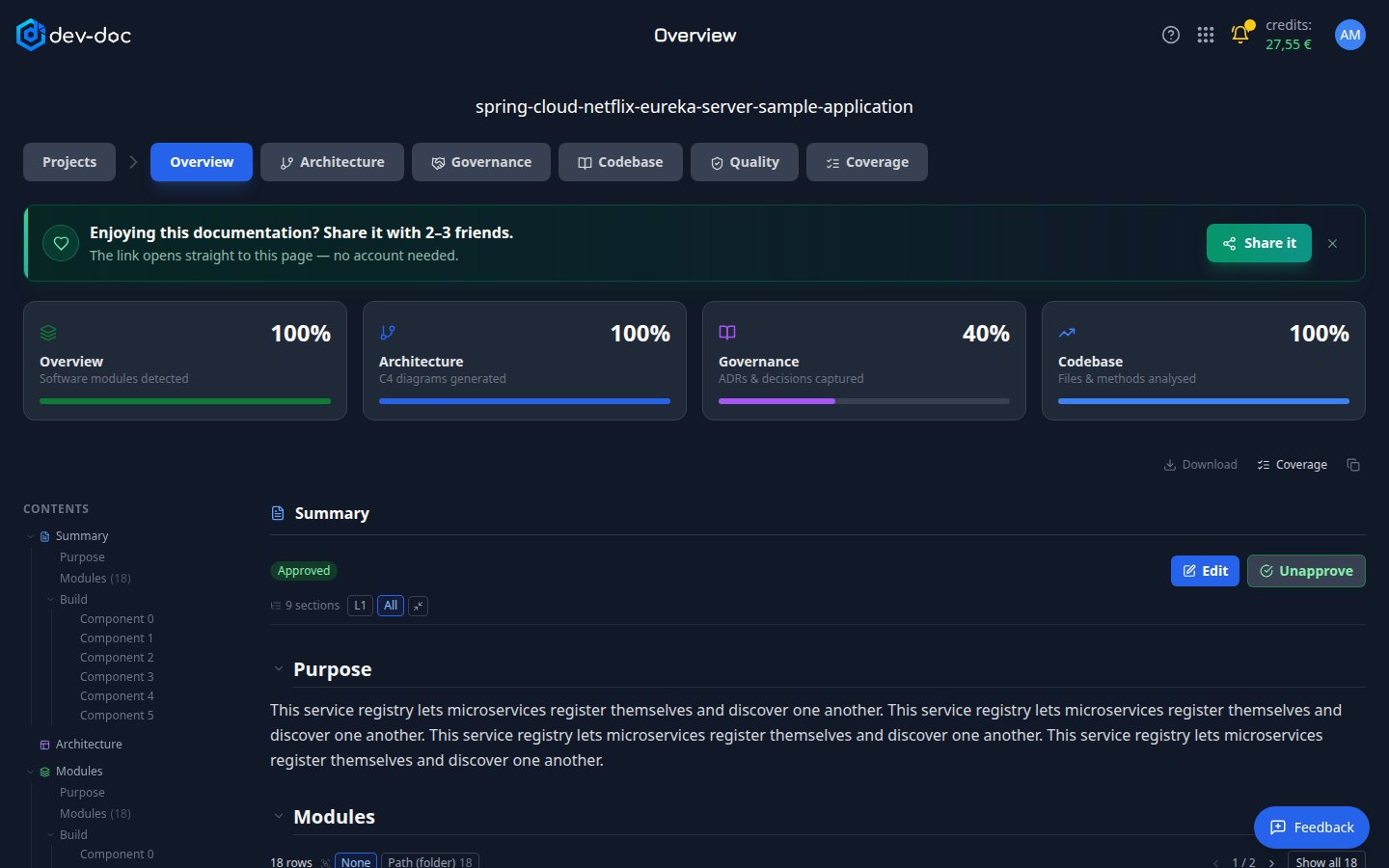
- Projects — back to My Projects.
- Tabs — switch between the parts of the documentation. The page title in the top bar names the tab you are on.
- Share it — share this documentation with a public, read-only link. See Share your documentation.
- Progress cards — how complete each dimension is: Overview (modules), Architecture (diagrams), Governance (decisions) and Codebase (files). See the four dimensions.
- Contents — every heading of every document on this tab. Click a heading to jump to it; click the small arrow to unfold its sub-headings without leaving your place.
- Review controls — Approved shows a person has checked this section. Edit corrects it; Approve/Unapprove records the review. See Review, edit & approve.
- Depth control — long documents fold into sections. Choose how deep they open — L1 shows top-level headings only, All opens everything — or collapse all.
- Copy all — copies the whole documentation on this tab as Markdown, ready to paste into a wiki or a README.
- Download — saves the whole project's documentation as a ZIP — every tab, an arc42 document (also as AsciiDoc for docToolchain), and an SBOM with a supplier fact sheet for Cyber Resilience Act / NIS2 reviews. See Download your documentation.
Reading long documents
dev-doc adapts the reading aids to the size of each document — a short Tech Stack reads as plain text, while a large Modules document gets folding sections and a contents tree.
- Long tables show a page at a time; use the arrows or Show all. Type in the filter to find a row.
- Group by — for tables and lists with a suitable column, group rows by that column or by folder (Path). None keeps the original order.
- Links inside a document open any folded section they point to.
The sections
| Section | Read it to learn |
|---|---|
| Summary | What the software does and for whom. |
| Architecture | How the system is put together, in prose. |
| Modules | Each part of the project — path, type, frameworks, entry points. |
| API Surface | The endpoints and entry points it offers. Hidden when the project has none. |
| Tech Stack | Languages, frameworks and dependencies, from the project's own files. |
| Building, Deployment, Data Model, Configuration, Security, Error Handling, Testing, Glossary | Topic sections you ask for from the Coverage tab. Each appears here once it has been generated. |
How complete is all this? If you own the project, the Coverage button above the documentation opens the Coverage tab: what the documentation covers, what it leaves out and why, and what to add next.