Home & navigation
The home page is where you land after signing in. It takes you to the main areas of dev-doc in one click, and the top bar — the same on every page — keeps your messages, credits, help and account within reach.
What this page is forStarting point: jump to importing, your projects, demos or this help.
Open it fromThe dev-doc logo at the top-left of any page.
Typical next stepImport your first project, or open My Projects.
The home page
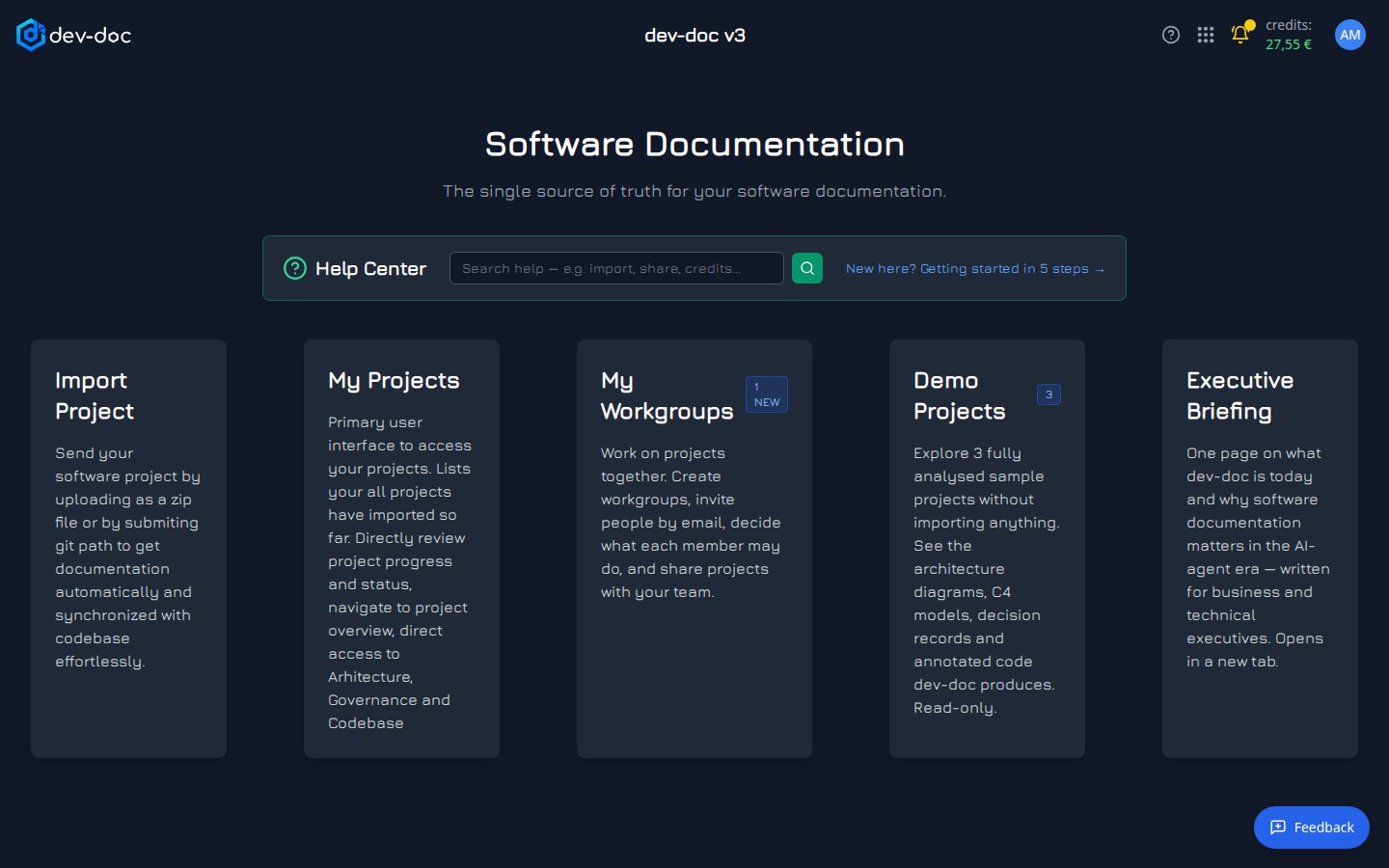
- Help — opens the help for the page you are on, in a new tab. It is in the top bar of every page.
- App menu — the grid icon opens the menu with every main area of dev-doc — see below.
- Messages — the bell turns yellow when you have unread messages. Hover it for a preview; click it to open Messages.
- Credits — your current credit balance. It turns red when you have no credits left. See Credits & billing.
- Account menu — your initials. Opens Settings and Logout.
- Import Project — bring a new repository or zip file into dev-doc. See Import Project.
- My Projects — the list of everything you have imported, with status and progress. See My Projects.
- Demo Projects — finished sample projects you can explore for free. Shown when demos are available. See Demo Projects.
- Help Center — search the help straight from the home page, or open the getting-started guide.
- Feedback — tell us what works and what does not, on any page. Rate it 👍 or 👎, add a comment, and optionally attach a screenshot of the page.
- My Workgroups — work on projects together with other people. See My Workgroups.
The app menu
Click the grid icon in the top bar to open the app menu. Click a tile to go there; the small arrow in a tile's corner opens it in a new browser tab instead.
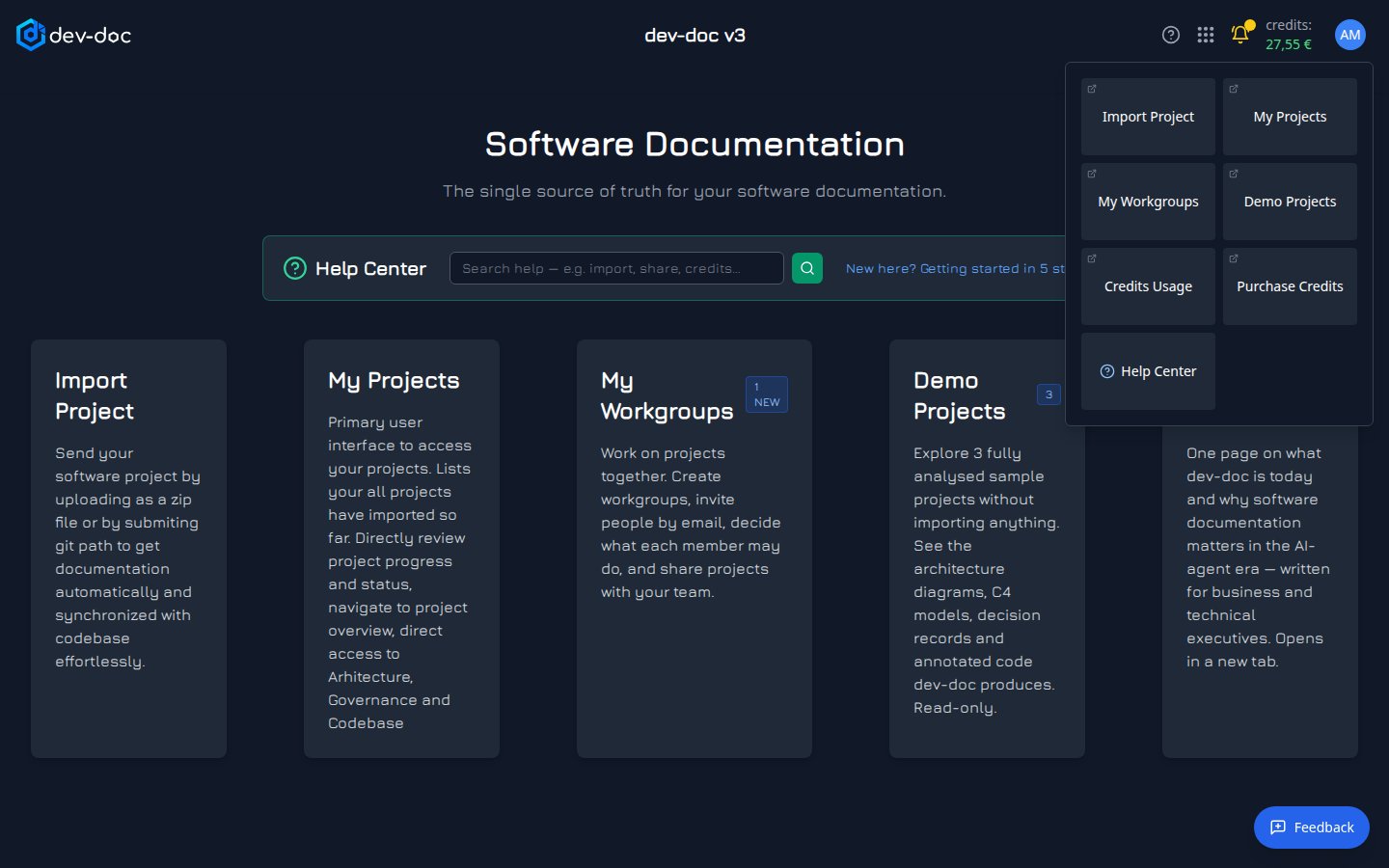
- Import Project — start a new documentation project.
- My Projects — your project list.
- Demo Projects — the gallery of finished examples.
- Credits Usage — your balance, top-ups and the cost of each run.
- Purchase Credits — buy a credit package.
- Help Center — this help, in a new tab.
- My Workgroups — the workgroups you belong to and your pending invitations.